Study calendar
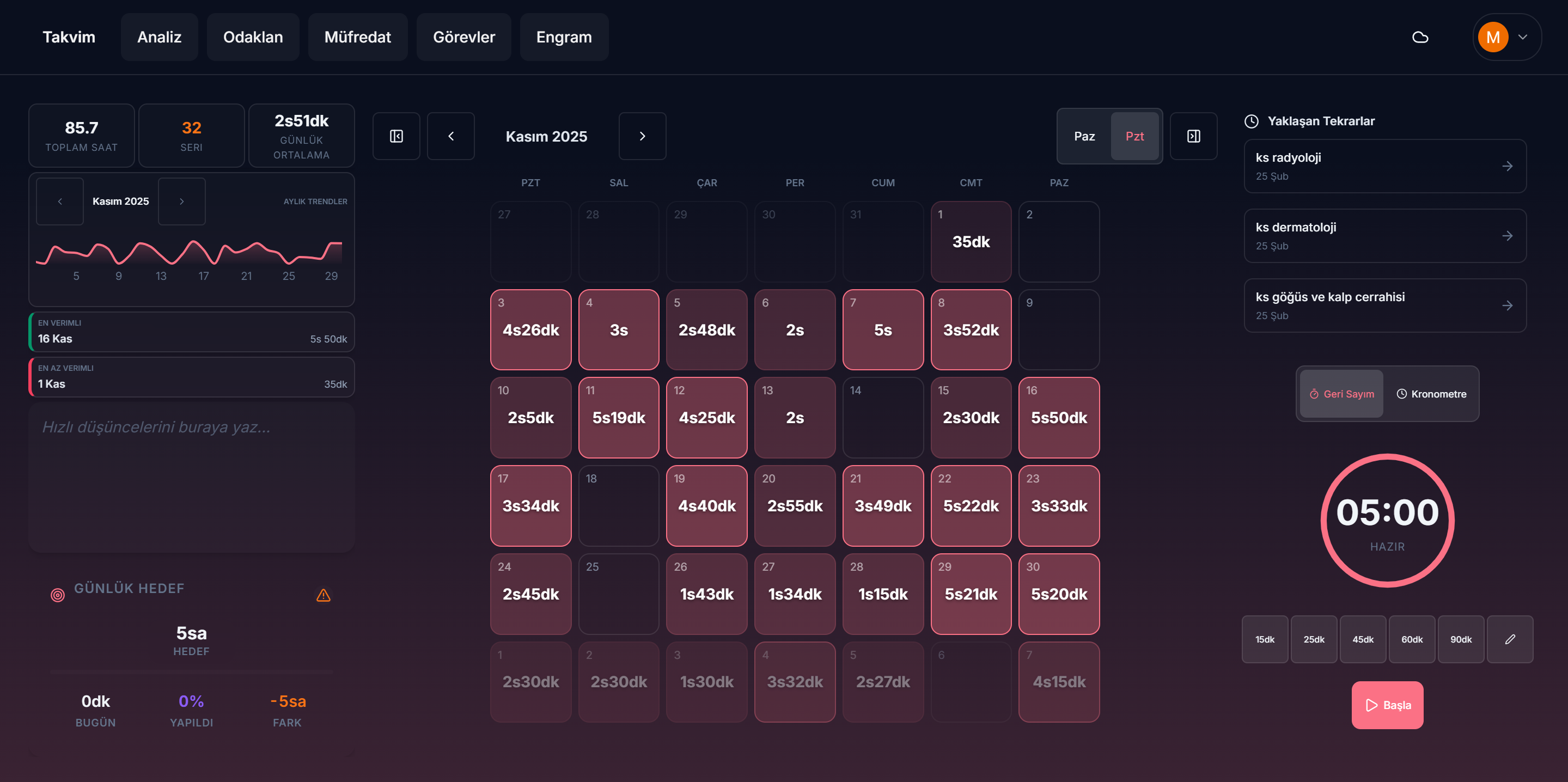
Log study sessions by subject, set a daily goal, and see your progress over days and months.
 StudyTracker.tr
A little structure. A lot more focus.
Your study calendar, Pomodoro timer, and revision plan. Together in one quiet workspace, with your study data saved in your browser.
BUILT FOR YOUR EVERYDAY STUDY ROUTINE
A connected set of tools for planning, concentrating, and seeing how far you have come.
Log study sessions by subject, set a daily goal, and see your progress over days and months.
Choose a countdown or stopwatch, work in focused sessions, and take breaks at your own pace.
Review your study time and subject breakdowns to understand your routine and plan your next session.
Use Engram to organize revision intervals and bring earlier topics back into your study plan.
Keep your curriculum, topics, and quick thoughts close to the work you are doing.
Export a JSON backup and restore it when changing browsers or devices. You control the file.
A SIMPLE PLACE TO BEGIN
Create the subjects and topics you want to study.
Start the timer or add a study session to your calendar.
Review your activity and schedule the next revision.
YOUR WORK. YOUR WORKSPACE.
Core study records are stored in this browser, without a required cloud account. After the app has loaded online and its offline cache is ready, you can reopen the core workspace without a connection in a supported browser. Online services and uncached media still need internet.
Local storage is not a backup. Clearing site data can erase your records. Export a JSON backup regularly, and before changing domains, browsers, or devices.
Back up data from the old site ↗FAQ
Yes. The core study planner, focus timer, calendar, analytics, notes, and revision tools are free to use.
No account is required for the core workspace.
First open the app online and let its service worker finish caching. The core workspace can then reopen offline in a supported browser. A first visit, online features, and media that has not been cached require internet.
Core study records and preferences are saved in browser local storage on your device. They do not automatically sync across browsers or devices. Optional analytics runs only after consent.
Use the backup download option in the app to export a JSON file. Restore that file in the destination browser or device. Keep a copy before clearing site data.
Browser storage is specific to each domain. Open the old site, download your JSON backup, then open studytracker.tr/app/ and restore it. Visiting the new domain does not move data automatically.
STUDYTRACKER
Open your workspace. Pick one thing to learn.
Start studying for free →